VO Pipeline Tools
Custom Unity editor tools for managing character vocalizations with live FMOD Studio integration.
Bark Editor
Disclaimer: This tool was built for a commercial project under NDA. All names, characters, and data shown are placeholder examples created for this portfolio.
The Problem
Managing character voice lines is tedious. Audio designers create events in FMOD, programmers wire them up, and changes require back-and-forth between disciplines. Tracking which characters have coverage means digging through folders. Tuning playback probability means asking a programmer to change a number.
These tools consolidate everything into one place so that designers see coverage at a glance, configure triggers, create FMOD events, and tune probability without leaving Unity or writing code.
Character Overview
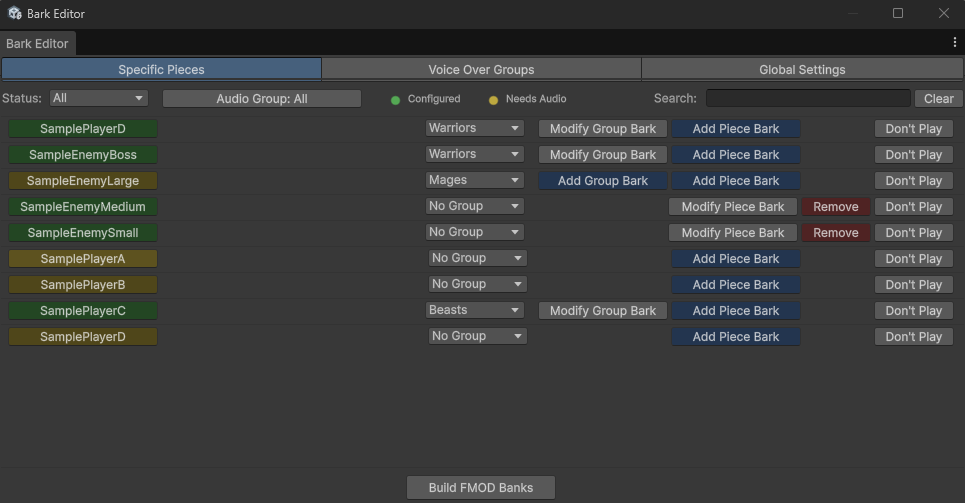
The main editor displays every character with visual status indicators. Green means bark audio is configured. Yellow flags characters needing attention. Filter by status, audio group, or search by name to quickly find what you need.
Context-Based Triggers
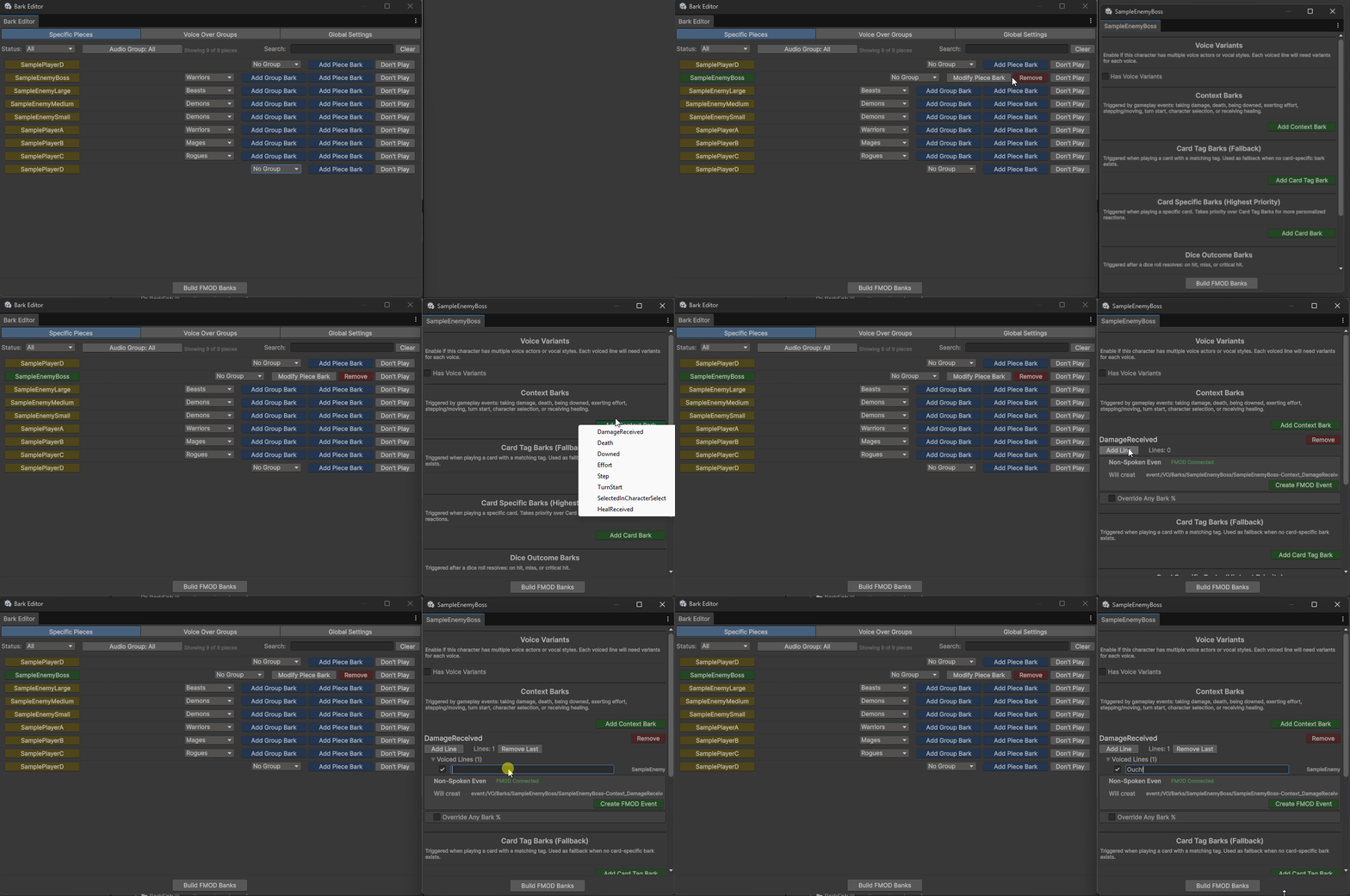
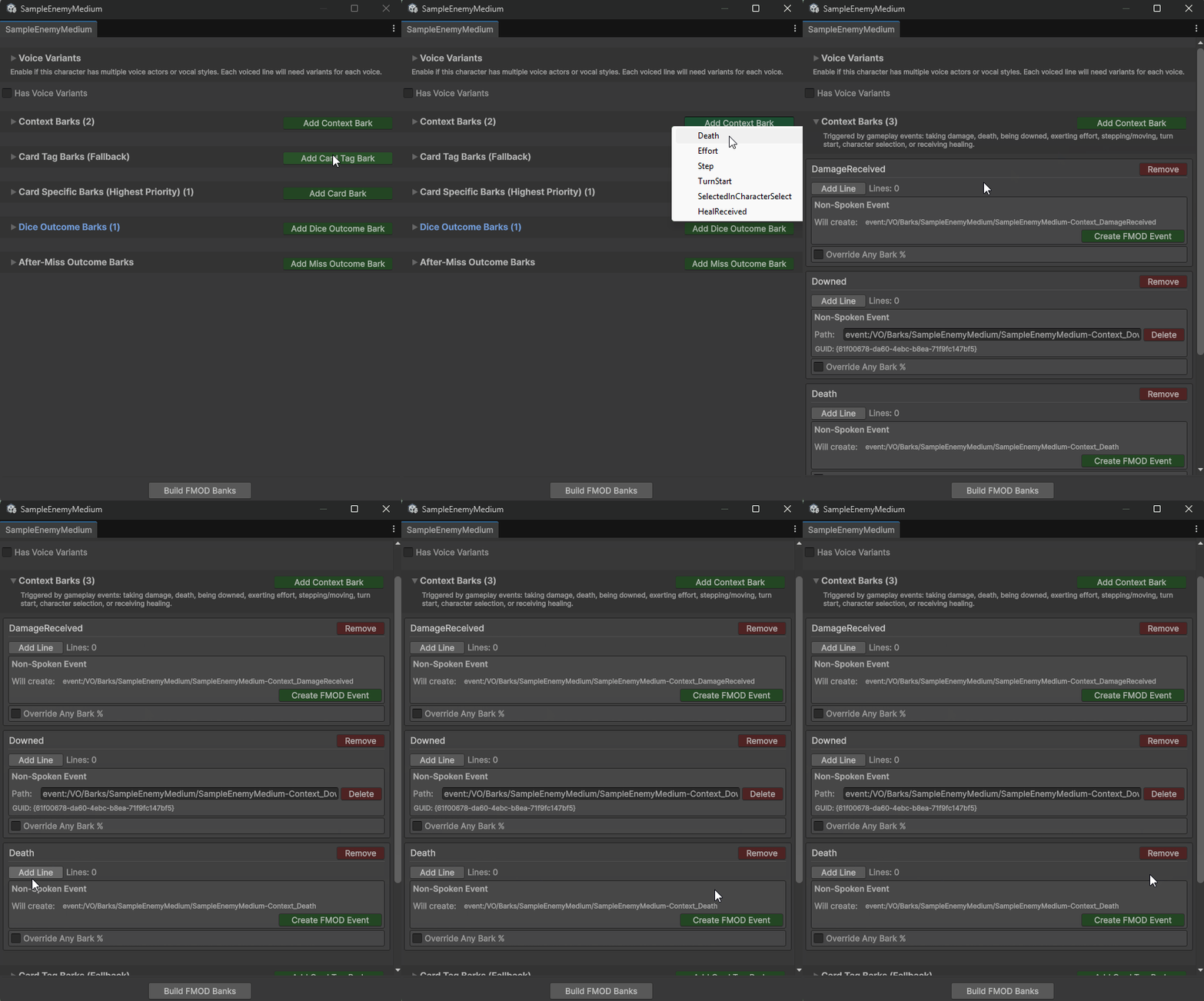
Characters respond to gameplay events: taking damage, dying, being downed, exerting effort, stepping/moving, turn start, character selection, or receiving healing. Designers select from a dropdown of available contexts. The system generates the data structure and FMOD event path automatically.
Card Bark System
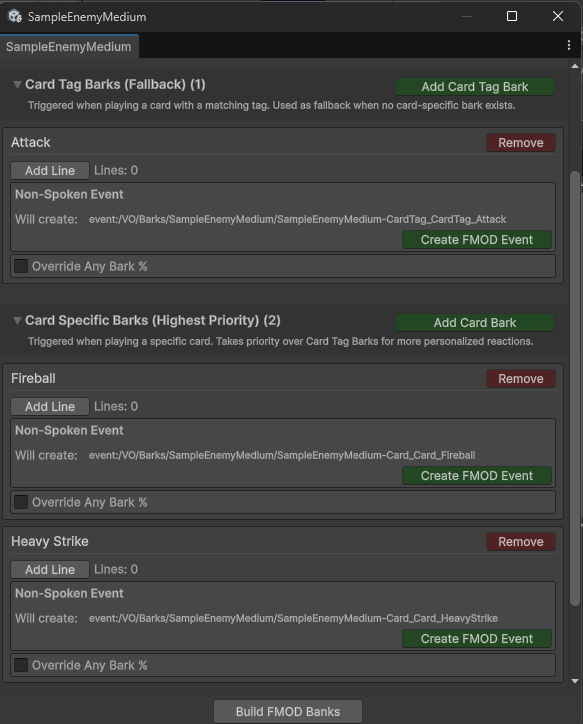
Characters can react when using abilities. The system supports two priority tiers:
Card Specific Barks - unique line for one specific ability
Card Tag Barks - shared line for abilities with matching category tags
If an ability has multiple tags with configured barks, one is selected randomly. Designers configure the minimum needed. Runtime resolves the most specific match.
Additional Bark Types
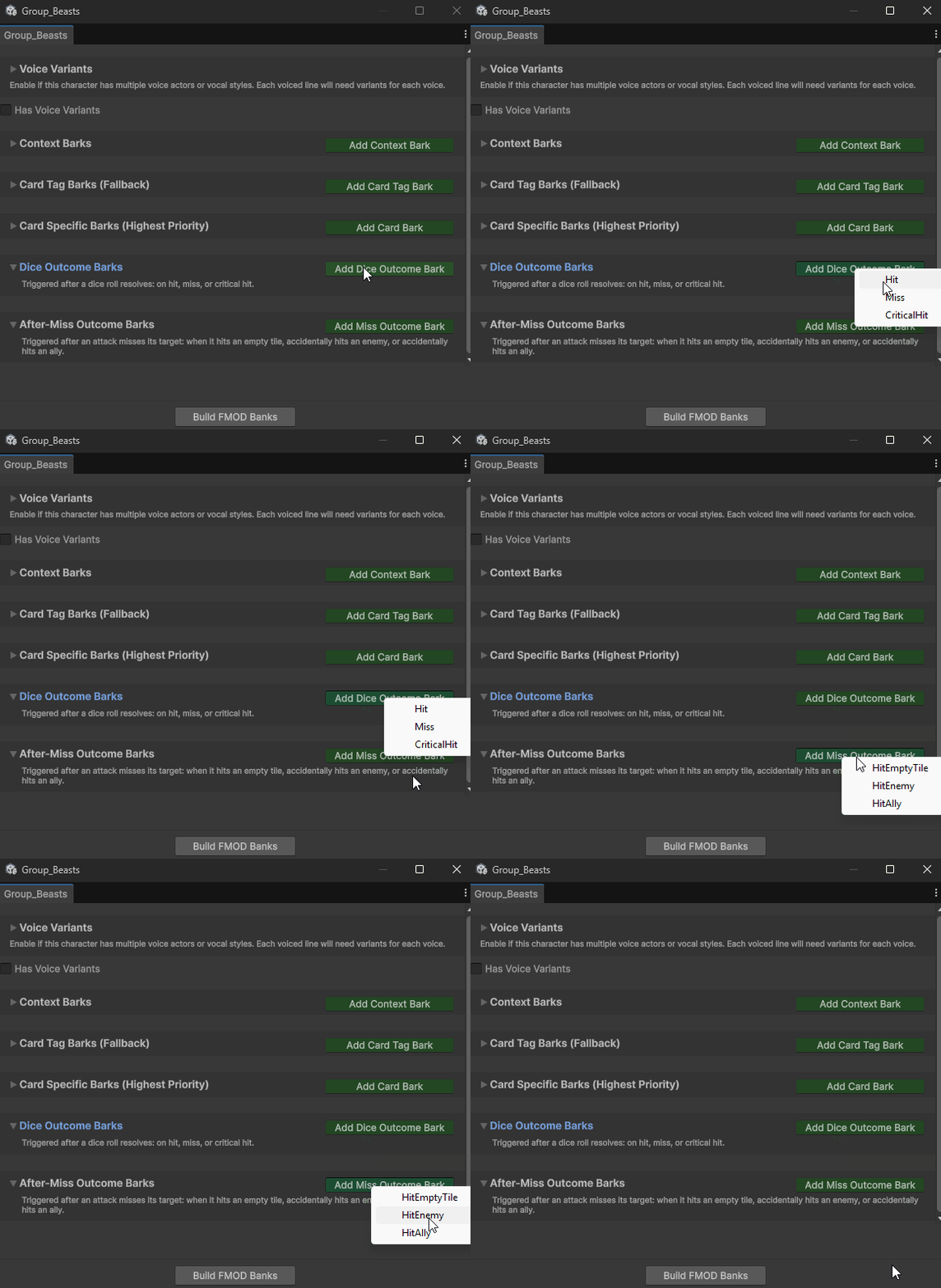
Beyond context triggers and ability reactions, characters can respond to combat outcomes:
Dice Outcome Barks - triggered after dice rolls resolve (hit, miss, critical hit)
After-Miss Outcome Barks - triggered when attacks miss (hitting empty tile, accidentally hitting enemy, accidentally hitting ally)
Each type has its own dropdown for adding entries.
Voice Over Groups
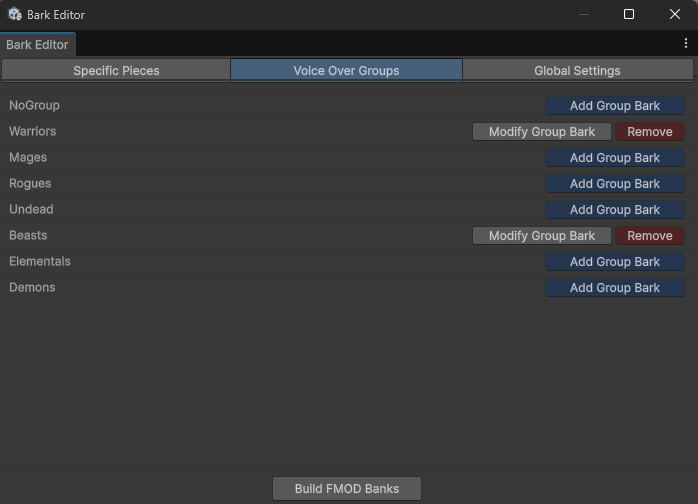
Not every character needs unique voice lines. Voice Over Groups let designers assign characters to shared bark definitions. All characters in a group use the same fallback barks, reducing redundant work for background characters or enemy types.
FMOD Integration
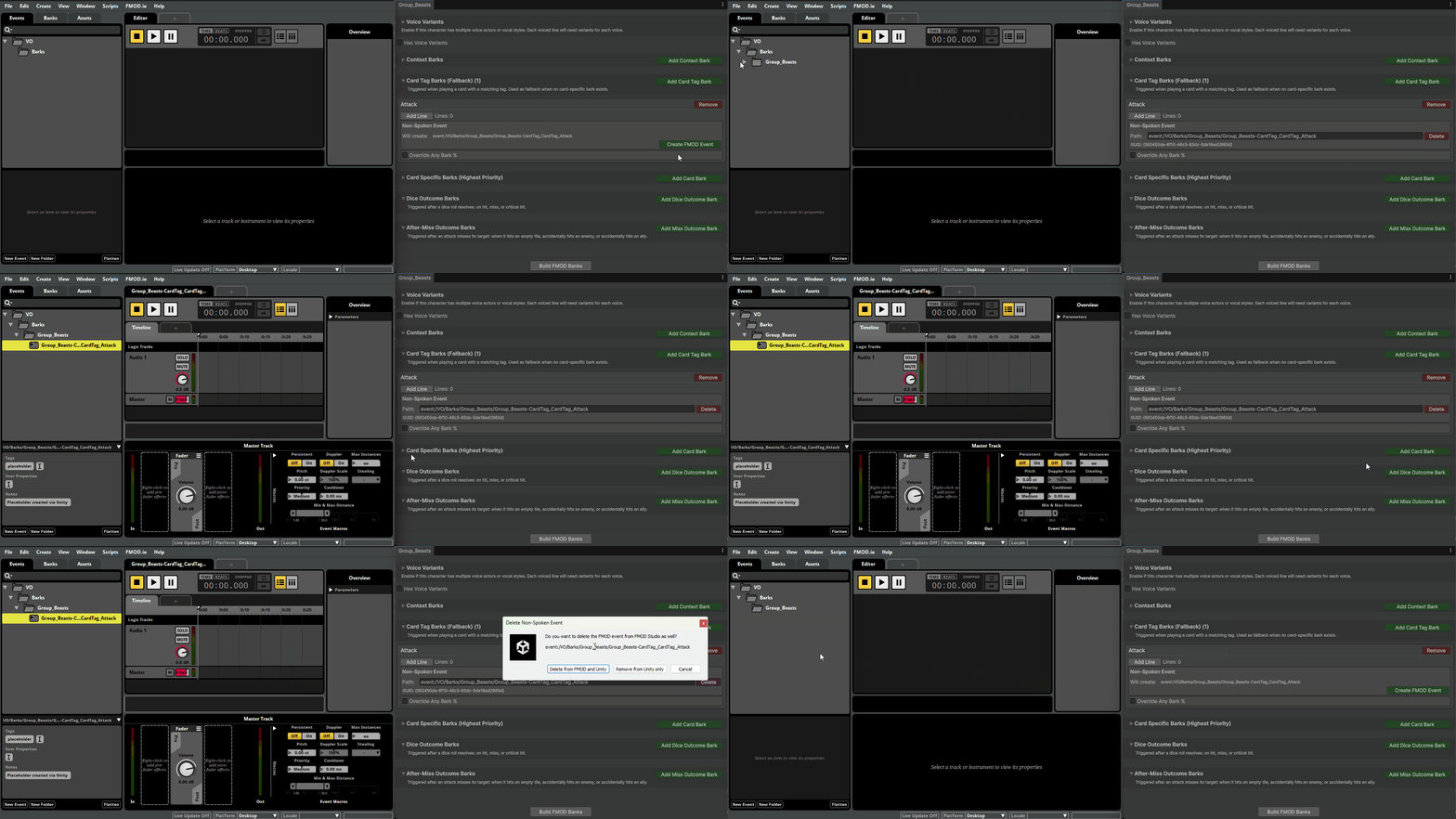
The tools communicate directly with FMOD Studio. When a designer clicks "Create FMOD Event," the event appears in FMOD immediately with correct folder, correct bank, ready for audio. No export/import workflow. No manual navigation.
After creating events, banks need to be built to hear audio in-game. A "Build FMOD Banks" button at the bottom of every editor window triggers the build directly from Unity.
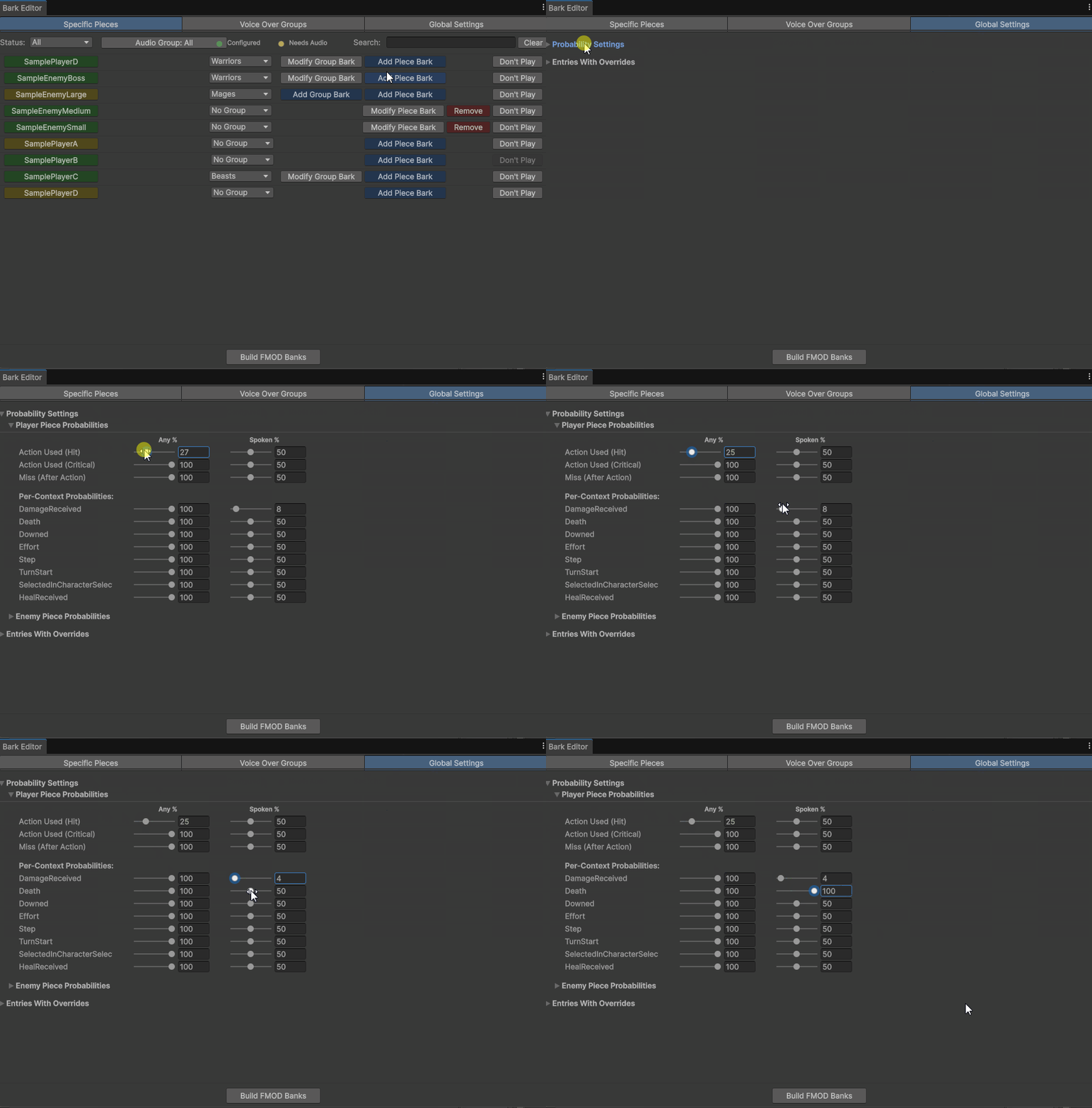
Probability Controls
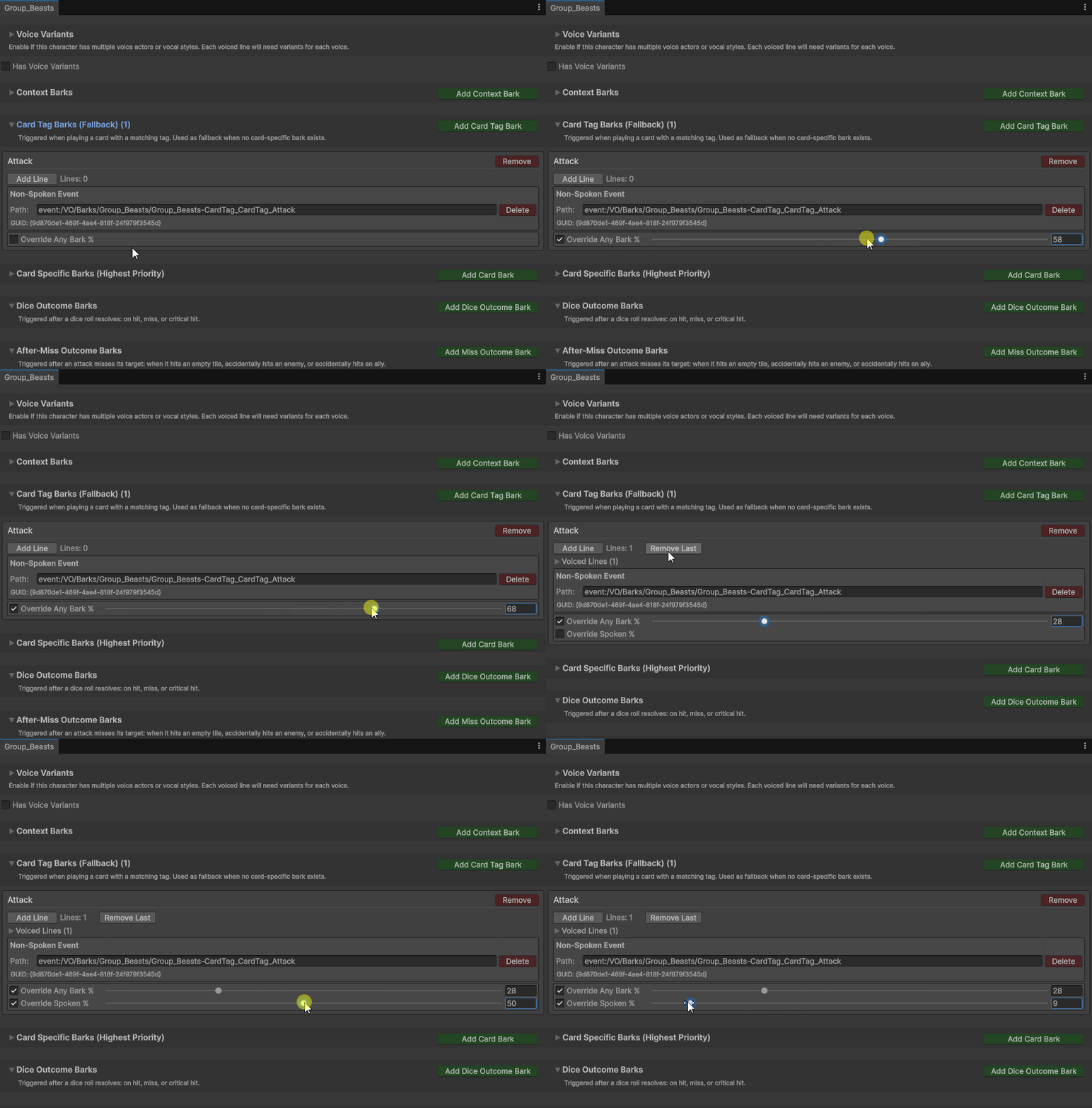
Not every bark should play every time. Two probability settings control playback:
Any Bark % - chance that any bark (spoken or non-spoken) plays at all
Spoken % - when a bark entry has both voiced lines AND a non-spoken event, this controls the chance to play the spoken version vs the non-spoken one
Global defaults are set per team (Players vs Enemies) and per context type. Individual entries can override these with a checkbox and slider. The "Override Spoken %" option only appears when an entry has both types configured.